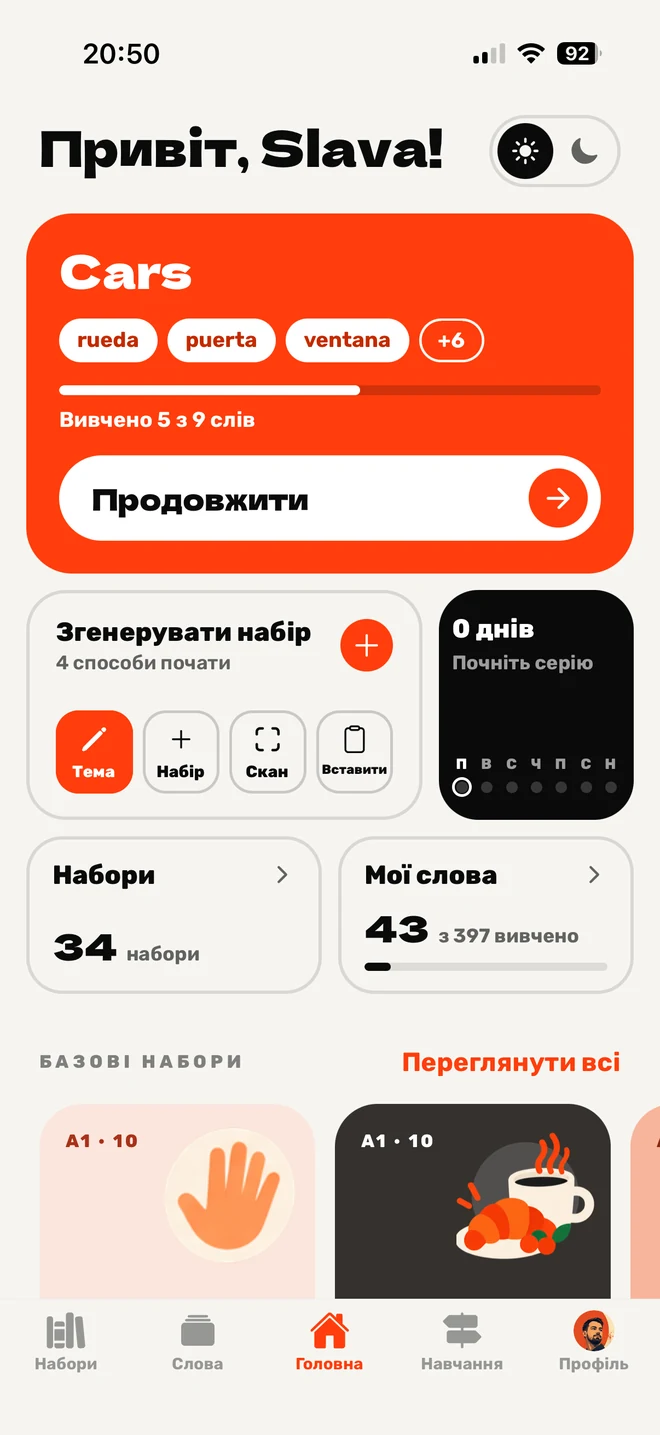
Now available on iOS and WebAI vocabulary trainer for your own words
Learn the wordsyou actuallyneed
Add the words you want to learn — AI fills in the translations, transcriptions and example sentences. Practice them in 7 game modes, across 40+ languages.
FlashcardsMatchQuizFill in the BlankListeningWritingBuildFlashcardsMatchQuizFill in the BlankListeningWritingBuildFlashcardsMatchQuizFill in the BlankListeningWritingBuildFlashcardsMatchQuizFill in the BlankListeningWritingBuild
A new practice mode for real sentences. You see the translation of an example sentence that uses a word from your set, then rebuild it from word bricks, in the right order. A few decoy words are mixed in, so you can't get there by elimination. Build is the last step of a Full run and comes with Calleo PRO.
A coffee with milk, please
Uncafécon
porleche,téfavor
02
Tutor: use your words in a real conversationPRO · Beta
Pick a scene, like ordering in a café or checking into a hotel, and your Tutor plays the other part, at your level. Type or say your replies and get through the scene using the words from your set. Mistakes are fixed gently without stopping the scene, and at the end you see which words you used, what to look at again, and new words to add to your set. The Tutor is in Beta in the iOS app and comes with Calleo PRO.
Camarero¿Qué le pongo?
Una café con leche, por favor
Una Un café
¡Claro! ¿Algo para comer?
03
Listen. Write. Two new ways to practice.
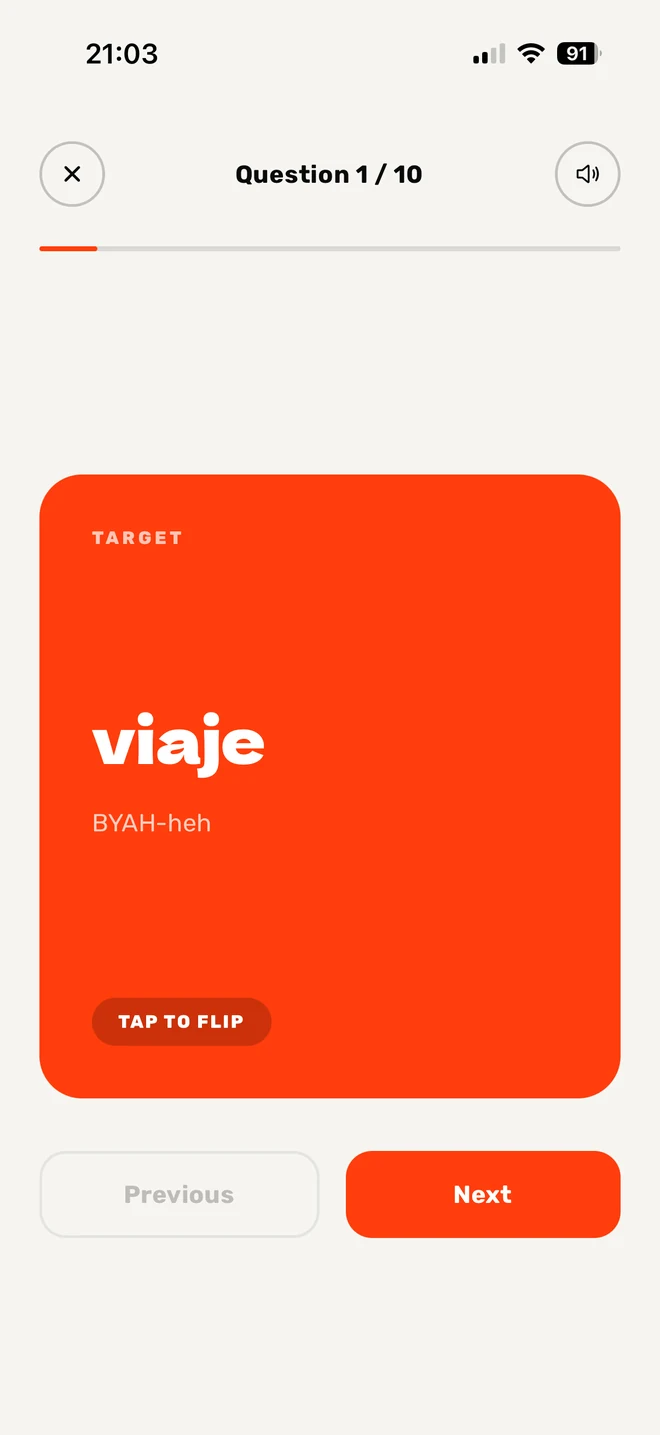
Beyond flashcards, quizzes, and matching, Calleo now tests you the way real conversations do. Listening mode plays the word aloud and you identify it, training your ear, not just your eyes. Writing mode flips it around: you see the translation and type the word from memory, building real recall instead of multiple-choice guessing.
ListeningHear it, pick it
WritingType it from memoryflight
04
Build a set in seconds, not minutes
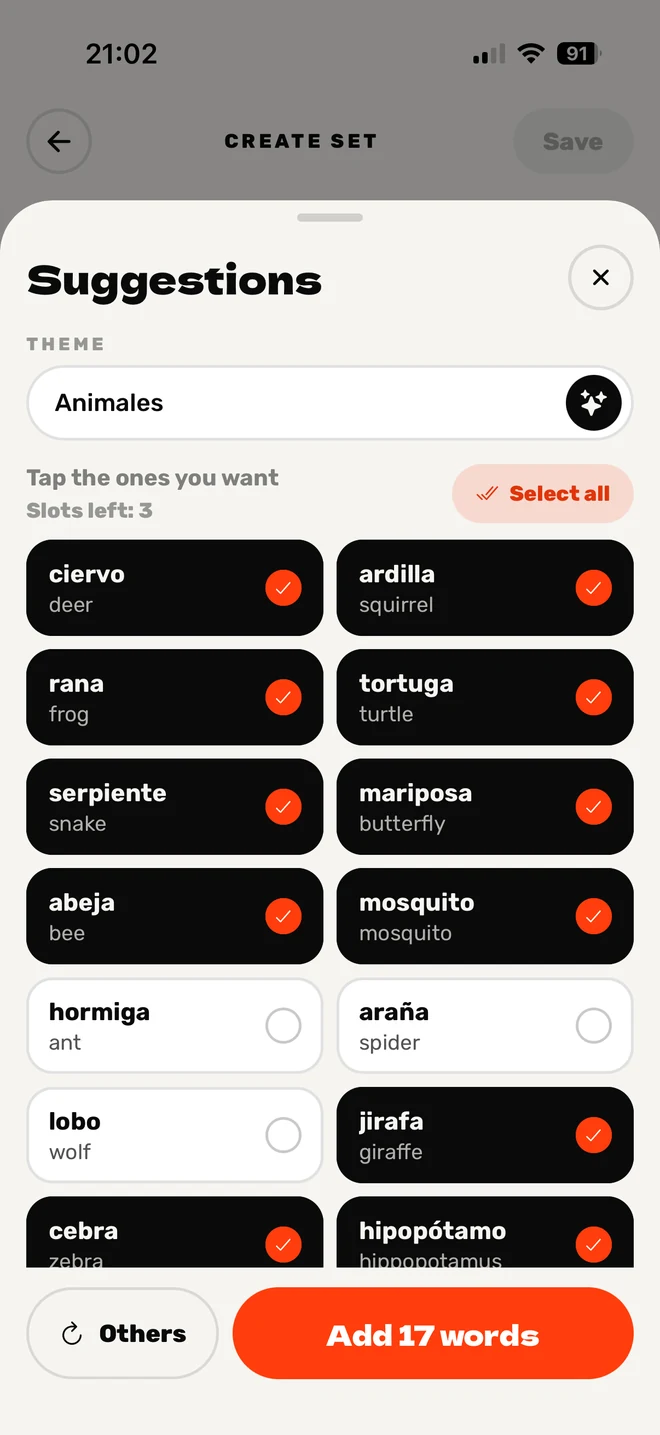
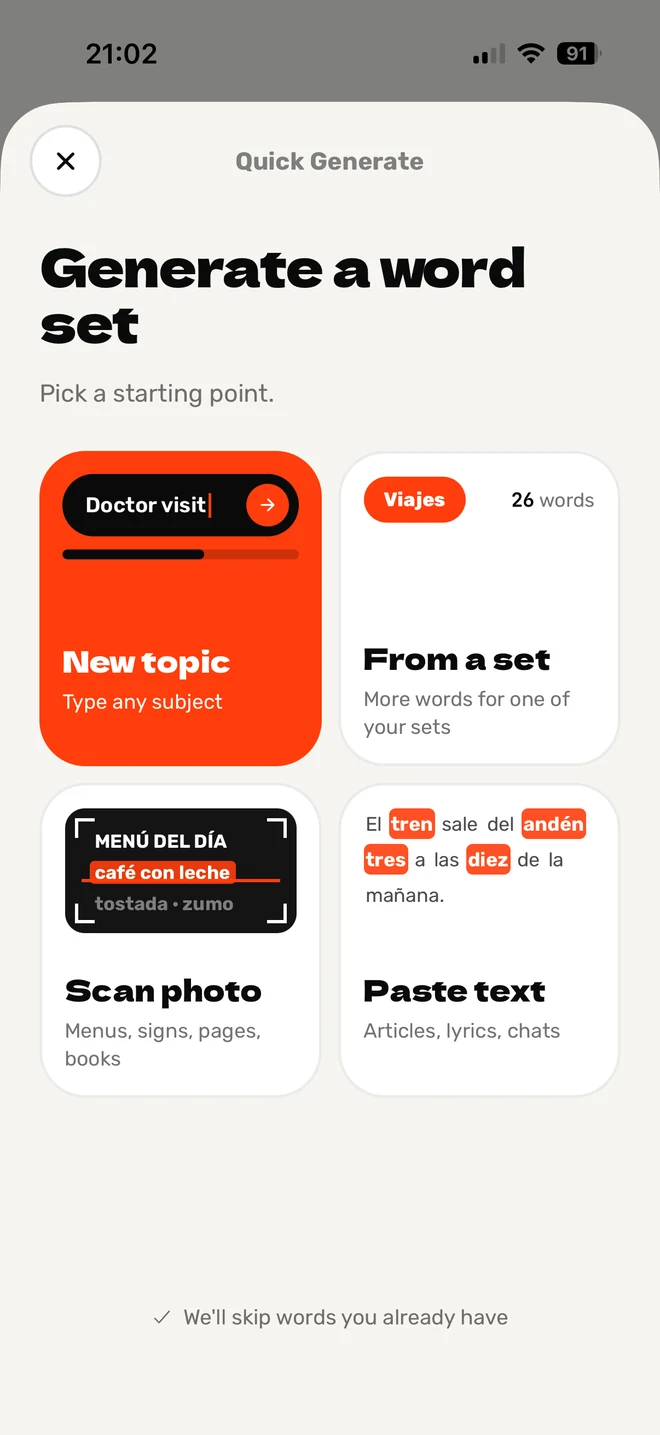
Typing out word lists is the boring part, so skip it. With Quick Generate, type a topic like “restaurant” or “travel”, scan a photo of a menu, sign or page, or paste in an article, lyrics or a chat, and AI builds a ready-to-use vocabulary set. Already have a set going? Generate more related words with one tap, and Calleo automatically skips anything you already have. Topics are free; scanning, pasting and adding to a set come with PRO.
Doctor visitNew topicType any subject
ViajesFrom a setMore words for one of your sets
café con lecheScan photoMenus, signs, pages, books
El tren sale del andénPaste textArticles, lyrics, chats
05
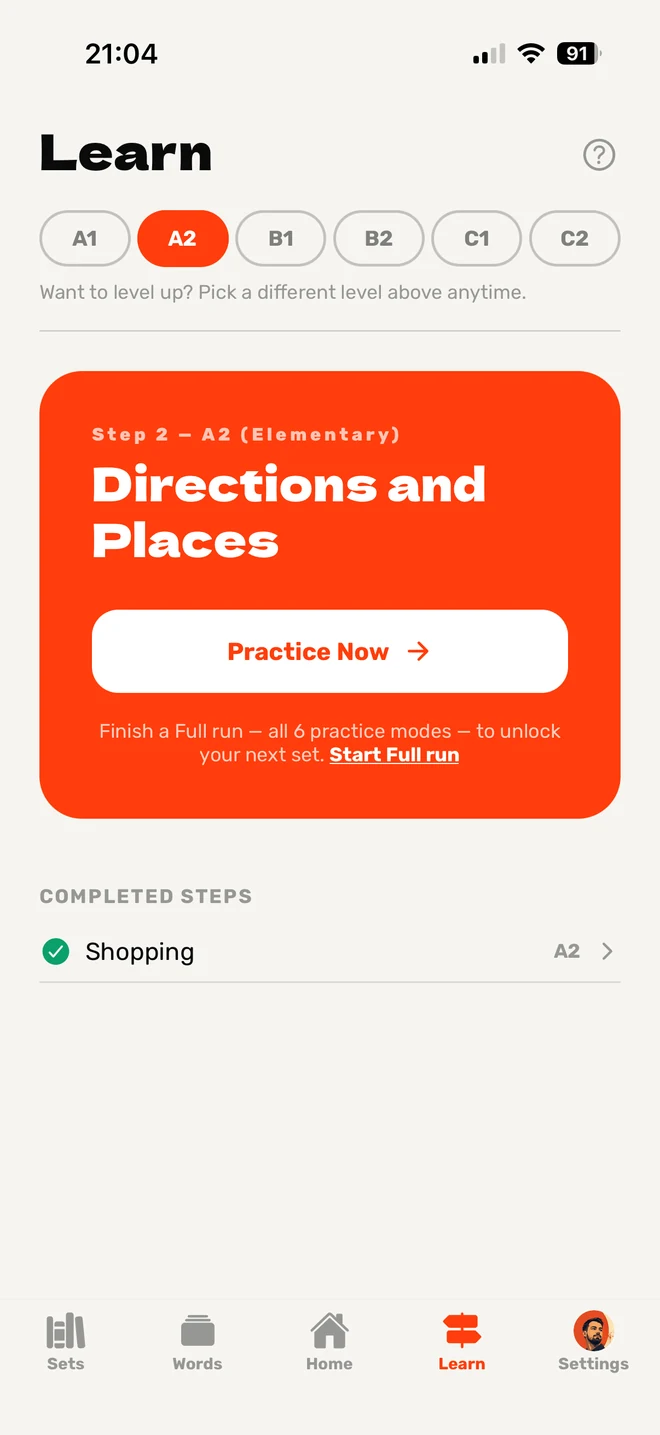
Learn: a guided path from your first words to fluency
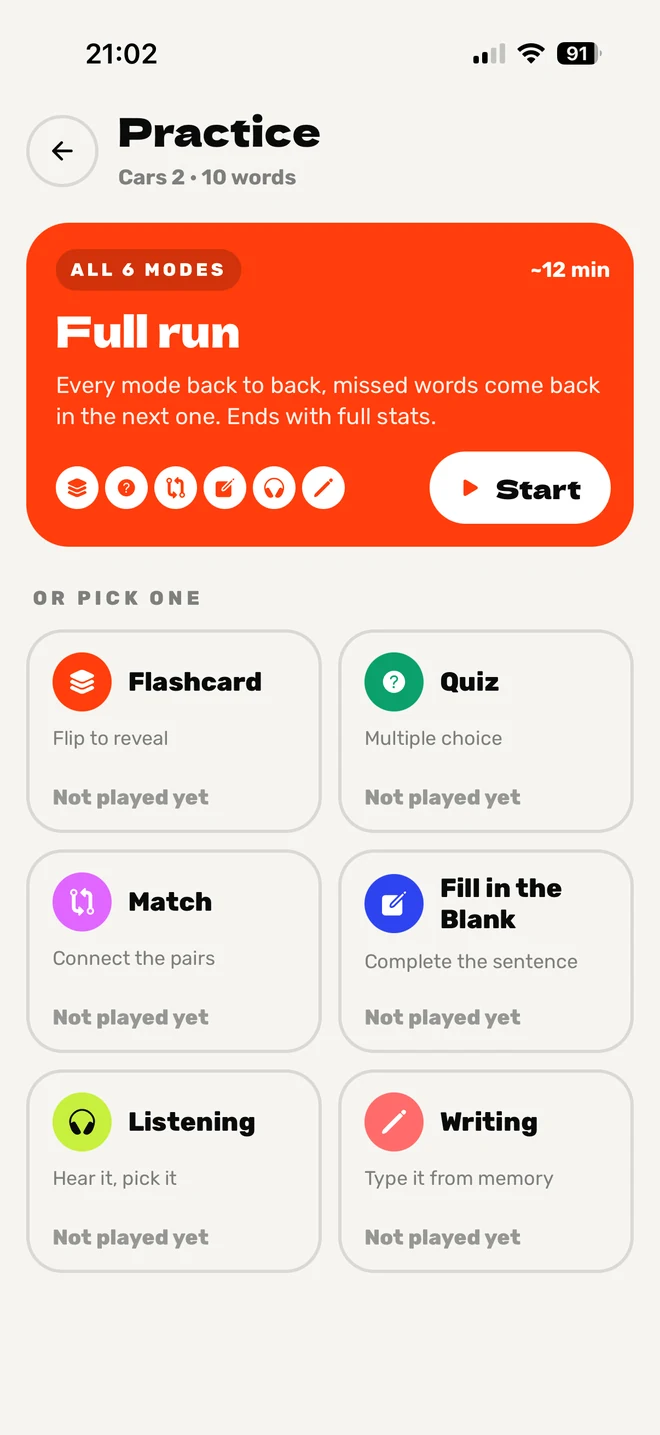
Not sure what to study next? Learn is a structured curriculum spanning all six CEFR levels, A1 through C2, starting with greetings and numbers and building up to work, travel, and abstract topics. Each step is a focused set generated just for you. Finish a Full run (every practice mode back to back, with missed words coming back in the next one) and your next set unlocks. Free accounts get two Learn sets a day; with PRO there is no limit.
A1
A2
B1
B2
C1
C2C2
(02) Languages
40+ languages.
Full interface localization and native language support. Learn in your comfort zone.
HSCВ
EAZІ
LLEТ
LUŚА
OTĆЮ
English
Français
Polski
Українська
The whole app, in Ukrainian
(03) Features & highlights
Everything you need to master a language
From smart AI generation to engaging game modes, Calleo is packed with tools to help you learn faster.
7 modes
Learn your way
Choose from 7 interactive learning modes that match your unique learning style.
01FlashcardsFlip to reveal
02MatchConnect the pairs
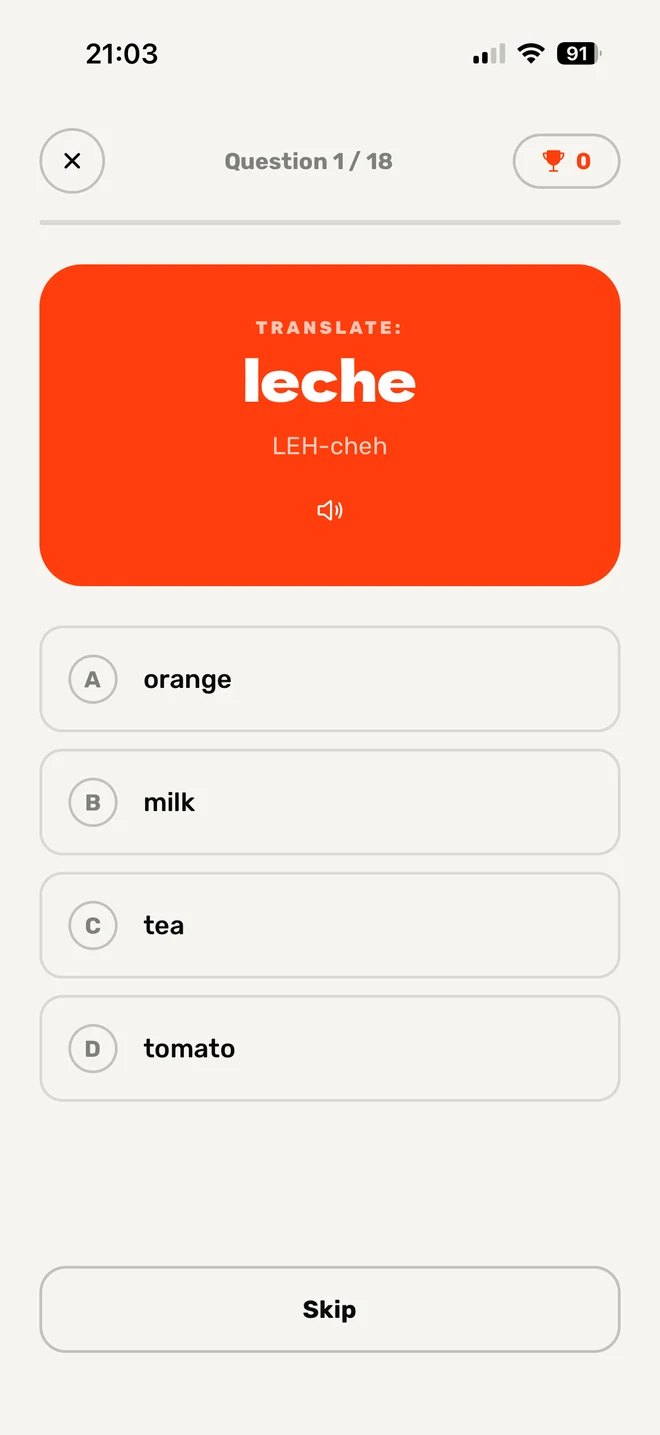
03QuizMultiple choice
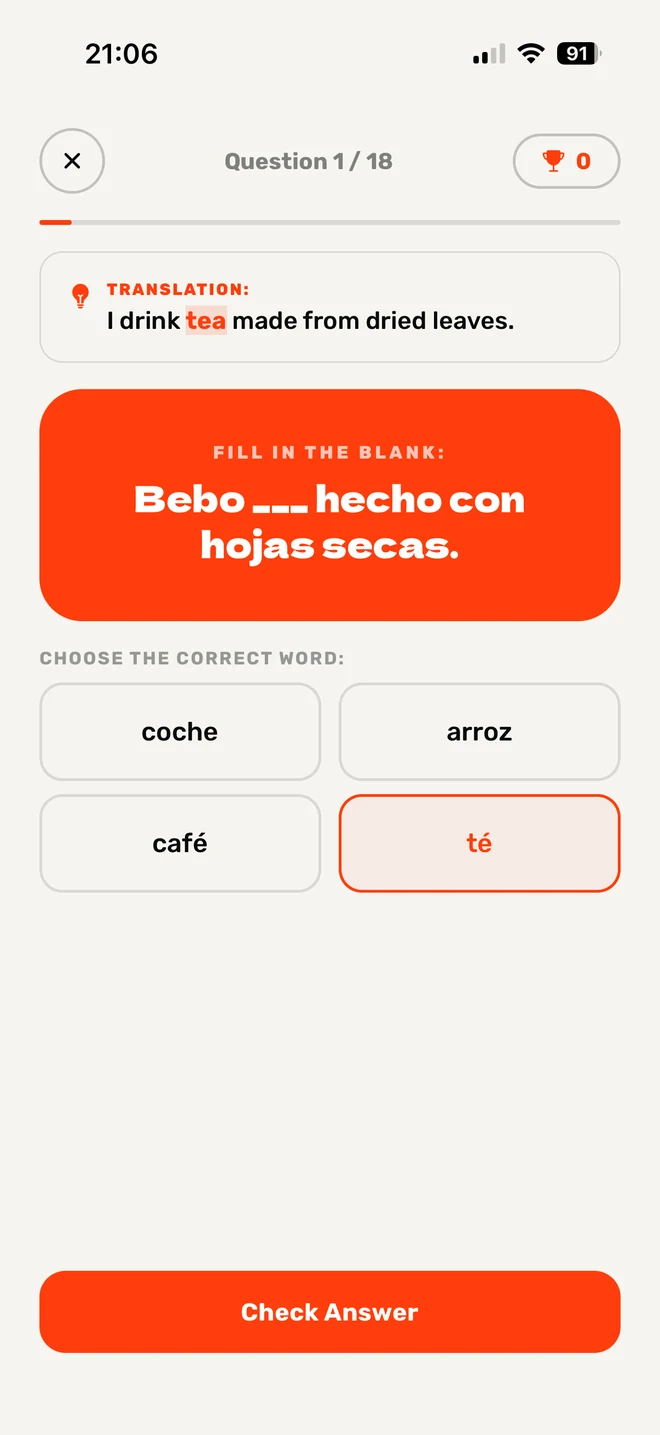
PRO04Fill in the BlankComplete the sentence
05ListeningHear it, pick it
06WritingType it from memory
PRO07BuildPut the sentence together
AI
AI-Powered
Generate word pairs instantly and get smart hints.
AI Suggestions
iPhone
Native iOS
Get the app and learn on the go.
Share codes
Share your sets
Turn any set into a share code. Friends enter it, preview the set and copy it into their own collection — and you can see how many times it was viewed and copied.
Share code
ABC123XYZ
48Views
12Copies
Sync
Seamless sync
Start on iPhone, continue on Web. Progress follows you.
app.calleo.xyz
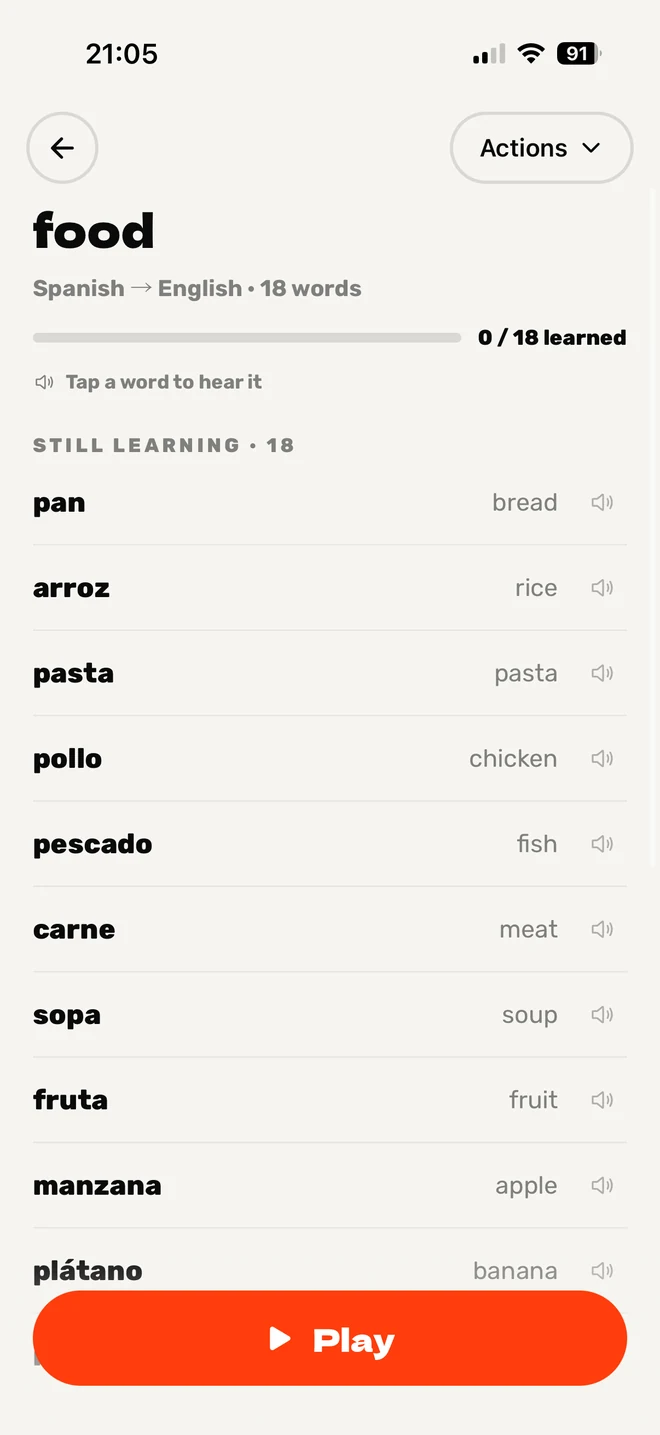
food
panbread
arrozrice
pollochicken
Added by AIlecheLEH-chehmilk
(04) Why Calleo
Why Calleo?
We built Calleo to remove the friction from language learning. Whether you are a casual learner or a polyglot, our platform adapts to you.
Start in seconds
Try guest mode instantly. No signup required until you want to sync.
Truly multilingual
Interface available in multiple languages. Learn in your comfort zone.
Privacy-first
Guest mode needs no account. With an account we store only your email and the sets you create. Words you ask AI about are sent to OpenAI for translations and examples.
Modern & fast
Built with modern technology for smooth performance on every platform.
(05) Inside the app
Experience the app
Take a closer look at our interactive learning modes.
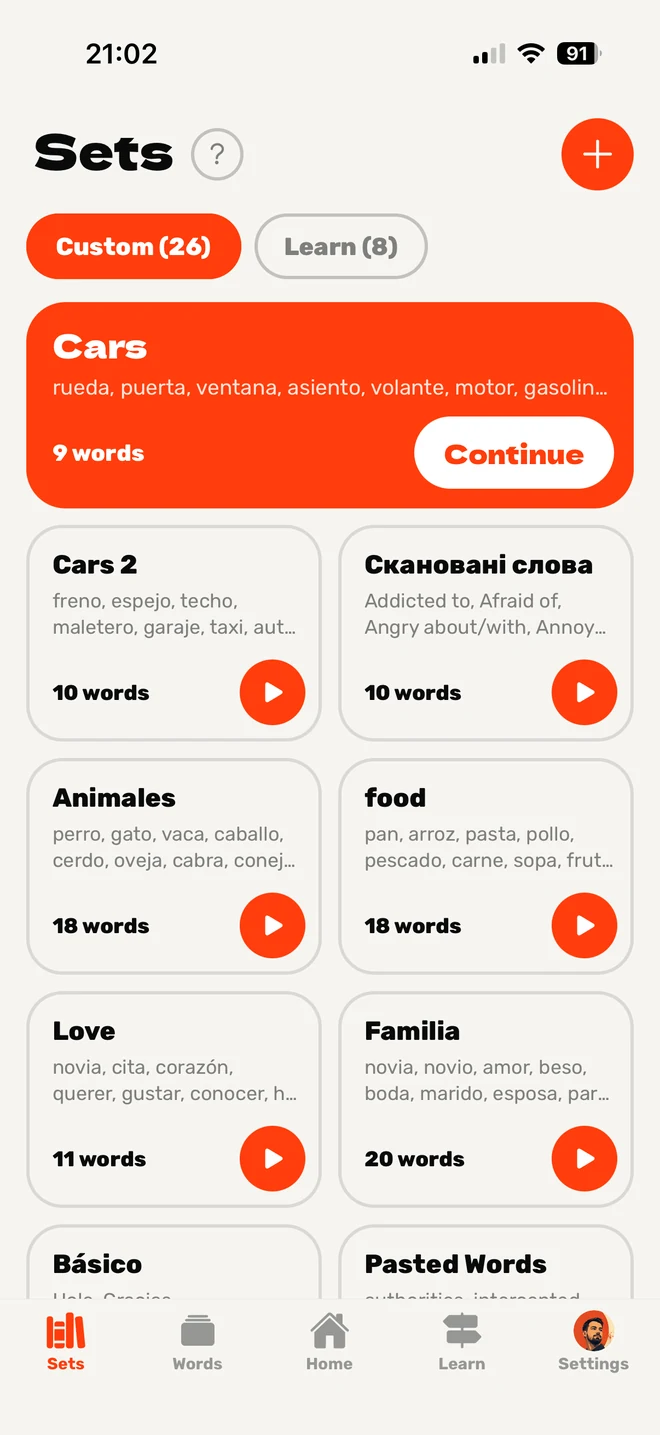
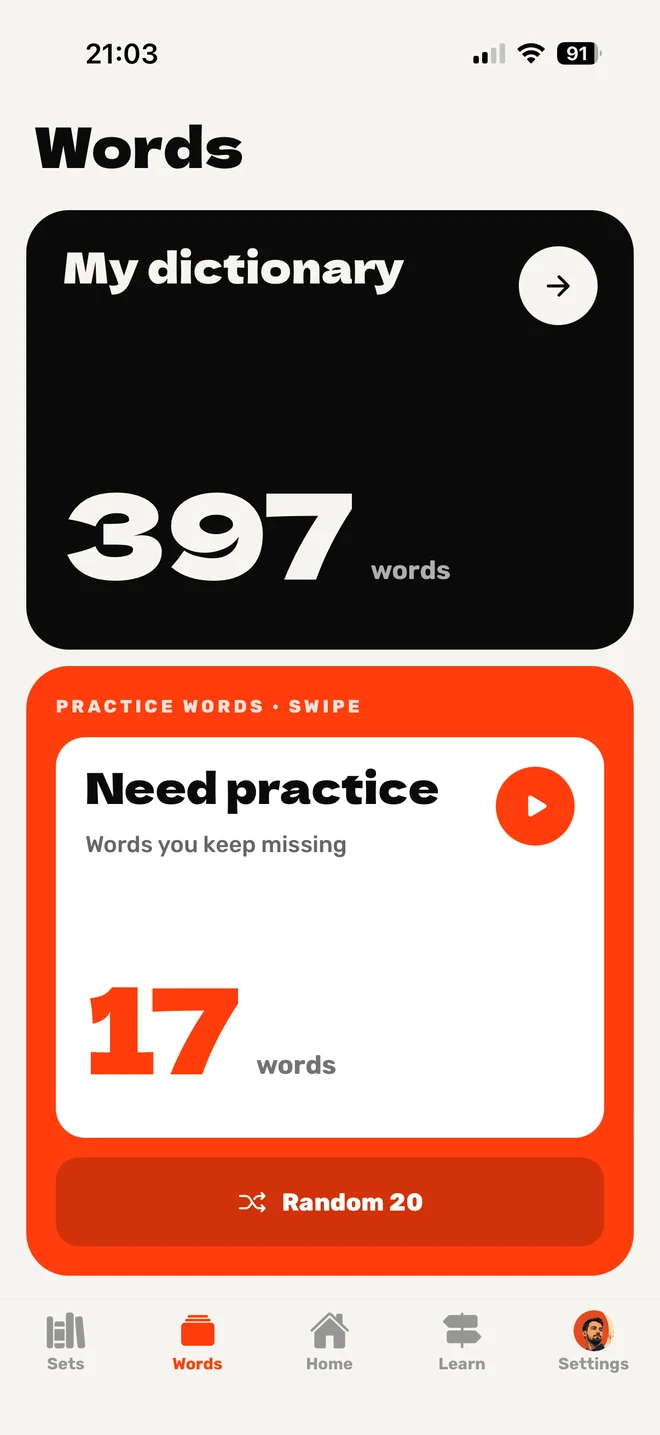
01 / 10Your sets
(06) How it works
How it works
Start your learning journey in four simple steps.
1
Create sets
Build vocabulary lists or use AI to generate words for any topic instantly.
2
Choose a game
Pick from 7 engaging game modes that make learning feel like play.
3
Track progress
Monitor your streak, mastery levels, and history on your dashboard.
4
Share a set
Send a friend the share code for any set. They copy it into their own collection, and you see the view and copy counts.
(07) Pricing
Free,or PRO.
Your own sets and their practice stay free, with no ads. PRO adds real sentences, a natural voice and no daily limits.
Monthly$4.99/ month
YearlySave 50%$29.99/ year
Every plan starts with 7 days free. Cancel before the trial ends and you pay nothing.
Compare
Free
PRO
Make and practise setsFlashcards, Match, Quiz, Listening and Writing, with AI translations
Example sentencesA sentence for every word in your sets, written at your level
Fill in the Blank and BuildTwo modes that practise your words in real sentences
TutorBetaRole-play conversations built around the words in your sets
VoiceWords and sentences read the way a person says them
Standard
Natural
Sets from a photo or textScan a menu or a page, paste an article, or grow one of your sets
LearnReady-made sets for your level, one step at a time
PRO is sold in the iOS app and renews automatically until you cancel in your App Store settings, at least 24 hours before the period ends. Prices are in US dollars and may differ in your country.
(08) FAQ
Frequently asked questions
01Do I need an account to use Calleo?
No! Start learning immediately with guest mode. Create an account later to sync across devices.
02How many languages are supported?
Over 40 languages for both learning content and app interface.
03Does the app work offline?
Yes, the iOS app supports offline access to your downloaded word sets.
04Can I use Calleo on my computer?
Absolutely! The web app offers a desktop-optimized experience.
05Is my data secure?
Your sets live in our cloud database, and each account can only read its own data. Words and topics you send to the AI go to OpenAI to produce translations, transcriptions and examples; your email and account data do not. In guest mode nothing leaves your device except those AI requests.
06Can I share my word sets?
Yes! Generate a shareable link for any set. Others can view and copy it to their collection.
07What game modes does Calleo offer?
Seven. Flashcards, Match, Quiz, Listening and Writing are free; Fill in the Blank and Build come with PRO. Listening plays a word aloud for you to identify, Writing has you type the word from memory, and Build has you put a sentence back together from word bricks.
08What is Calleo PRO?
An optional subscription in the iOS app. It adds example sentences on your flashcards, Fill in the Blank and Build, the Tutor (Beta), a natural voice, sets from a photo or pasted text, unlimited Learn sets and two Streak Freezes a week. It costs $4.99 a month or $29.99 a year, and starts with a 7-day free trial.
09Can I import word lists from Wordwall?
Yes! Import your existing Wordwall sets directly into Calleo and start practicing right away.
10What is the CEFR Learn path?
Learn is a guided curriculum spanning all six CEFR levels, A1 through C2. Finish a Full run of your practice modes to unlock the next focused set. Free accounts get two Learn sets a day; PRO has no limit.
Start learning today
Your first set takes under a minute. Download the app or open it in your browser.